إنشاء Plugin لإضافة Widget إحصاءات إلى لوحة التحكم
تقدر تضيف ملخص صغير للإدارة باستخدام Dashboard Widgets API
تجهيز المثال
- أنشئ مجلد elzero-stats داخل wp-content/plugins
- اعمل ملف بنفس إسم الفولدر للتنظيم فقط elzero-stats.php
- ضع الكود التالي في الملف وبس كدة ال Plugin اتعمل
- قم بتفعيل ال Plugin من لوحة التحكم
كود ال Plugin
<?php
/*
  Plugin Name: Elzero Academy Stats
  Description: Show A Simple Stats In The Admin Panel For Administrators
  Version: 1.0.0
*/

if (!defined("ABSPATH")) { exit; }

add_action('wp_dashboard_setup', function () {
	if (!current_user_can('manage_options')) {
		return;
	}
	wp_add_dashboard_widget('elzero_post_summary', 'Content Summary', function () {
		$counts = wp_count_posts('post');
		echo '<p>' . esc_html('Published: '.(int) $counts->publish) . '</p>';
		echo '<p>' . esc_html('Drafts: '.(int) $counts->draft) . '</p>';
	});
});
دة شكل ال Plugin في صفحة ال Plugins

النتيجة
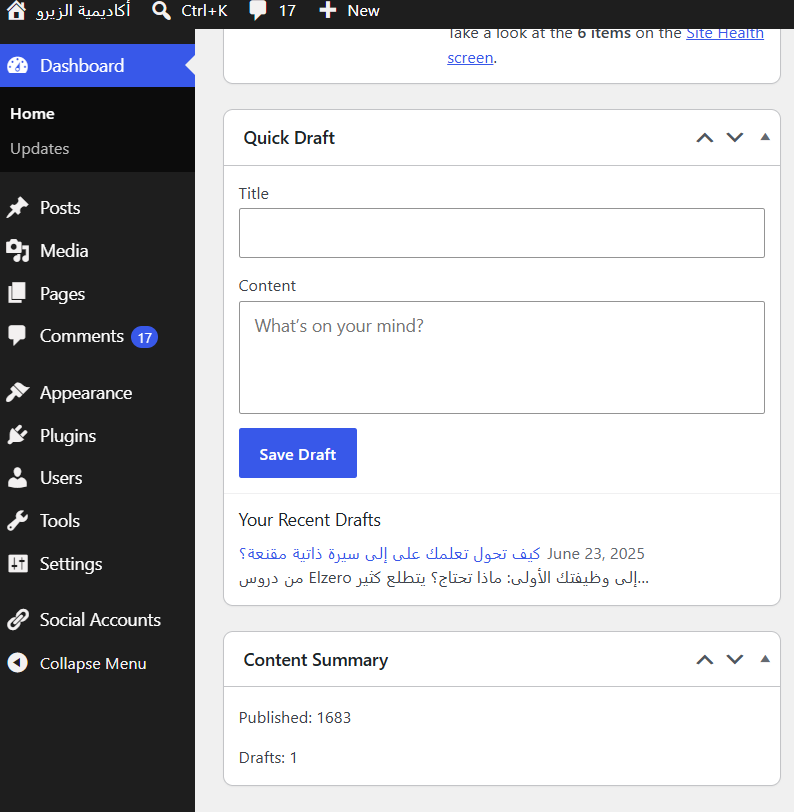
افتح الصفحة الرئيسية للوحة التحكم بحساب مدير وهتلاقي ملخص المقالات المنشورة والمسودات زي الصورة كدة